Yes. Please see here for details.
Please note that the Nintendo Switch version and the mobile device version feature different paid content.
loading

Frequently Asked Questions
- About Pokémon Friends
- How to Play
- Paid Features
- Data / Settings
- Potential Bugs
About Pokémon Friends
Q1
Is there any paid content?
Q2
Which systems and devices can I play Pokémon Friends on?
Pokémon Friends can be played on the following systems and mobile devices.
Nintendo Switch
Available both on Nintendo Switch and Nintendo Switch 2.
Nintendo Switch - OLED Model and Nintendo Switch Lite are also supported.
Mobile Devices
iOS devices running iOS/iPadOS 16.0 or newer.
Android devices running Android OS 9.0 or newer.
Memory: At least 3GB of RAM is recommended.
Note: Players may be unable to play certain modes easily when using a device with insufficient memory.
Please note that some OS versions or specific devices may be unsupported.
The game may not be stable on some devices even when the download is successful.
Only official OS versions are supported.
Some devices are unsupported by default and the game cannot be downloaded onto them.
Q3
【Nintendo Switch】Is there a Nintendo Switch 2 Edition of Pokémon Friends?
The game is compatible with Nintendo Switch 2, but there is no Nintendo Switch 2 Edition.
Q4
Can Pokémon Friends be played offline?
The Nintendo Switch version of Pokémon Friends can be played without an internet connection.
The mobile device version of Pokémon Friends requires an internet connection when starting up the game, but can be played offline after that.
Q5
Do I need a social media account to play this game?
No, you do not need a social media account to play. However, if you're playing on Nintendo Switch, you will need to link your user account with a Nintendo Account to purchase any DLC.
Q6
Is the game's content any different between Android and iOS, or between different types of mobile devices (e.g. smartphone or tablet)?
No, the content is essentially the same regardless of your OS or mobile device. Please note, however, that the controls and minor display elements may vary slightly depending on your device.
How to Play
Q1
How many players is the game for?
Pokémon Friends is a single-player game. There are no co-op play features. However, Pokémon Friends allows for up to five unique save files, so family members can use the same device to play the game.
Please note that certain features, including the purchase of DLC, are age-restricted. Underage players will need their parents' or guardians' help to access these features.
Q2
How do I start playing?
Use the Untangle button at the bottom of the Pokémon Friends home screen to start solving puzzles.
Q3
Can I choose my daily puzzles?
No, three puzzles are selected randomly each day.
Q4
Does the player's age affect which puzzles appear?
No, player age has no effect on puzzle selection.
Q5
How can I make Pokémon plush?
You will need yarn to make plush.
To get yarn, you need to solve puzzles.
Once you have some yarn, use the Plush-O-Matic on the home screen. From there, choose the Make button and pick the yarn you want to use to make a plush.
Plush you have made in the past can also be made again from the catalog. Please note that this also consumes yarn, and there are some plush that can only be made using the Plush-O-Matic.
Q6
Where can I view the plush I've already made?
Go to the Plush-O-Matic and use the Catalog button to view all the plush you've made.
Q7
Can I change my language?
Yes, you can change your language at any time by using the gear button at the top right of the Pokémon Friends home screen.
Paid Features
Q1
Where are the additional puzzles from the DLC I purchased?
New puzzles will show up when you use the Untangle button, but please note that each day's puzzles are selected at random, so it's possible that your new puzzles won't show up right away.
Q2
【Mobile Devices】Where is the additional yarn from the DLC I purchased?
To get the additional types of yarn, you will need to solve puzzles, just like what you had to do to get the yarn you already had access to.
Please note that the yarn you get as a reward for solving a puzzle is selected at random, so the additional types of yarn included in your purchased DLC may not be given as rewards right away.
Q3
Where are the additional plush from the DLC I purchased?
You can make the plush included in your DLC purchase via the Plush-O-Matic after collecting the necessary yarn.
Q4
Where is the additional furniture from the DLC I purchased?
You will need to complete the quests added with the DLC to obtain the additional furniture.
Q5
【Mobile Devices】I purchased DLC, but the limit on the puzzles I can play is still there!
Only the Basic Pack removes the limit on puzzles you can do in a day. See here for information about the content of each DLC.
Data / Settings
Q1
Is there a parental lock to disable internet access?
No, there is no way to disable internet access from within the game. However, with the exception of some content, the game can be played offline for the most part.
Q2
Is it possible to limit the number of puzzles that can be played each day?
The Nintendo Switch version includes a default feature that can limit how many puzzles are solved in a day. Changing the console's date settings will not reset the in-game daily limit.
This feature can be acquired for the mobile device version by purchasing the Basic Pack.
To access this option, choose the gear icon at the top right of the Pokémon Friends home screen, and then choose Game Settings.
Q3
Can game data be linked to a social media account or email address?
No, there is no feature to link game data to a social media account or email address.
Q4
【Mobile Devices】Can I transfer my game data to a new mobile device?
Yes. You can use the Transfer Save Files feature to transfer save data between devices.
Please note that while you can transfer your save data between different operating systems and Apple/Google accounts, DLC purchase information will be lost and the relevant content will not be reflected after the data transfer.
Preparing for Data Transfer
First, have the device you want to transfer data from and the one you will be transferring to.
Then make sure that you have a stable internet connection.
Transferring Data
1. Open Pokémon Friends on the device you will be transferring from.
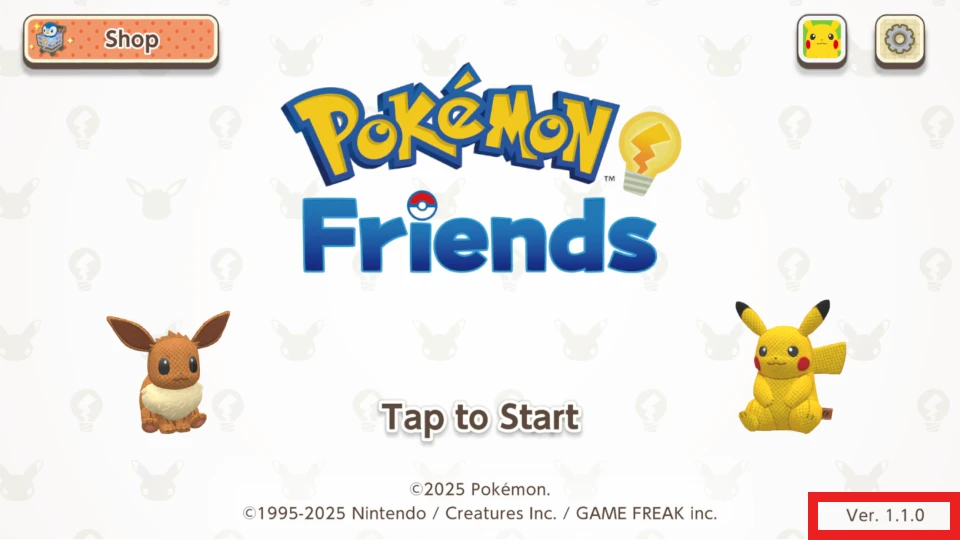
2. Confirm at the title screen whether your app’s version is 1.1.0 or later. If you are using an older version, please update your app via your device’s app store before proceeding to the next step.
 3. Use the gear button at the top right of the screen, and then choose Transfer Save Files.
4. Choose Enter Transfer Mode.
5. Read the warning carefully before choosing Transfer.
6. A Transfer ID and a Transfer Code will be generated.
7. On the device you will be transferring to, start Pokémon Friends, then use the Settings button. Choose Transfer Save Files, then choose Import Save Files and input the Transfer ID and Transfer Code from Step 5.
8. Players who purchased DLC can restore their content by using the Shop button on the top left of the Pokémon Friends home screen.
After transferring your save data to a new device, that data will no longer work on your old device.
Please make sure you have a stable internet connection before attempting to transfer your data.
3. Use the gear button at the top right of the screen, and then choose Transfer Save Files.
4. Choose Enter Transfer Mode.
5. Read the warning carefully before choosing Transfer.
6. A Transfer ID and a Transfer Code will be generated.
7. On the device you will be transferring to, start Pokémon Friends, then use the Settings button. Choose Transfer Save Files, then choose Import Save Files and input the Transfer ID and Transfer Code from Step 5.
8. Players who purchased DLC can restore their content by using the Shop button on the top left of the Pokémon Friends home screen.
After transferring your save data to a new device, that data will no longer work on your old device.
Please make sure you have a stable internet connection before attempting to transfer your data.
3. Use the gear button at the top right of the screen, and then choose Transfer Save Files.
4. Choose Enter Transfer Mode.
5. Read the warning carefully before choosing Transfer.
6. A Transfer ID and a Transfer Code will be generated.
7. On the device you will be transferring to, start Pokémon Friends, then use the Settings button. Choose Transfer Save Files, then choose Import Save Files and input the Transfer ID and Transfer Code from Step 5.
8. Players who purchased DLC can restore their content by using the Shop button on the top left of the Pokémon Friends home screen.
After transferring your save data to a new device, that data will no longer work on your old device.
Please make sure you have a stable internet connection before attempting to transfer your data.Q5
【Nintendo Switch】Can I transfer my game data to another Nintendo Switch system?
Yes. Please refer to the following website for details.
Nintendo Switch Support Information
Q6
【Nintendo Switch】Can I use the Nintendo Switch Online Save Data Cloud backup feature?
Yes. See here for details.
Q7
【Mobile Devices】I deleted Pokémon Friends or changed devices without transferring my save data. Is there any way to recover my save data?
Unfortunately, in these scenarios, there is no way to recover your save data.
Q8
【Mobile Devices】I accidentally deleted Pokémon Friends from my old device before I entered the data transfer information on my new one. Is it possible to find out what my Transfer ID and Transfer Code were?
Unfortunately, it is impossible to recover the transfer information after Pokémon Friends has been deleted. Please make sure to take note of your transfer information or enter it immediately after generating it.
Q9
【Mobile Devices】My purchased content is gone after transferring to a new device!
If additional downloadable content you purchased is not listed as purchased in game, please try the following steps to restore your information.
1. Open Pokémon Friends.
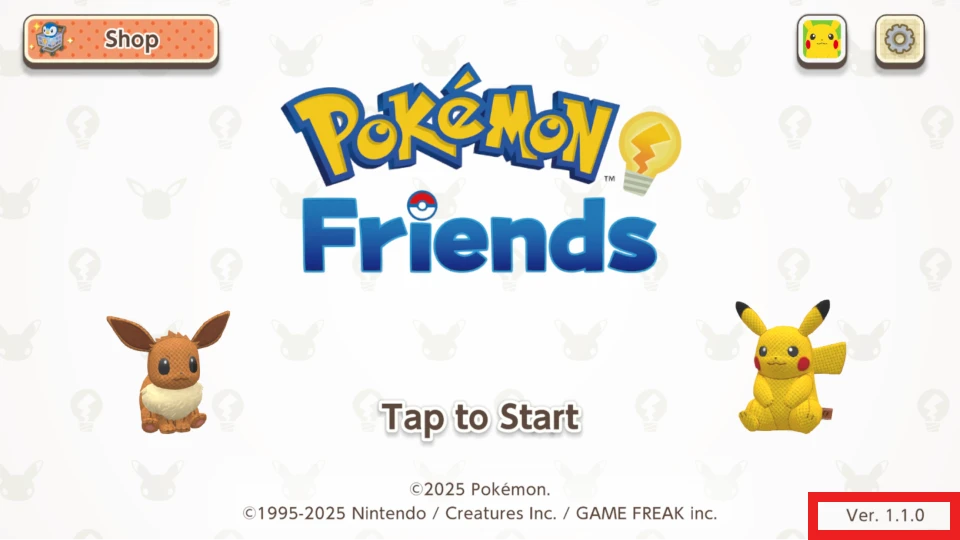
2. Confirm at the title screen whether your app’s version is 1.1.0 or later. If you are using an older version, please update your app via your device’s app store before proceeding to the next step.
 3. Open the Shop screen at the top-left of the home screen.
4. Select the ! button at the bottom-left to restore your purchases.
If the steps listed above do not resolve the issue, please contact support through the Frequently Asked Questions and Contact Information (for players outside Asia) / (for players residing in Asia) and attach a screenshot with the error code displayed.
3. Open the Shop screen at the top-left of the home screen.
4. Select the ! button at the bottom-left to restore your purchases.
If the steps listed above do not resolve the issue, please contact support through the Frequently Asked Questions and Contact Information (for players outside Asia) / (for players residing in Asia) and attach a screenshot with the error code displayed.
3. Open the Shop screen at the top-left of the home screen.
4. Select the ! button at the bottom-left to restore your purchases.
If the steps listed above do not resolve the issue, please contact support through the Frequently Asked Questions and Contact Information (for players outside Asia) / (for players residing in Asia) and attach a screenshot with the error code displayed.Q10
Is it possible to transfer data from Pokémon Friends on the Nintendo Switch to Pokémon Friends on iOS or Android? And are there any linked features between these versions?
No, transferring data between these platforms is not possible. Likewise, no linked features exist between them.
Q11
Does Pokémon Friends support multiple save files?
Yes. You can have up to five different save files on a device.
If you're playing on Nintendo Switch, each user can have up to five save files.
Q12
I accidentally deleted a Pokémon Friends save file. Is there a way to restore it?
Unfortunately, deleted save files cannot be restored.
The only exception is if you are playing on Nintendo Switch and you have backed up your save data using Nintendo Switch Online Save Data Cloud Backup.
Please see here for details.
Potential Bugs
Q1
【Mobile Devices】I can't download Pokémon Friends.
Please make sure that your device meets the following requirements. It may not be possible to download Pokémon Friends if your device is running an older OS than those listed below.
iOS
iOS/iPadOS 16.0 or newer
Android
Android 9.0 or newer
*We strongly recommend downloading the game over Wi-Fi.
Q2
【Mobile Devices】Pokémon Friends isn't starting up.
This issue may be caused by one of the following.
1. Unsupported operating system.
Pokémon Friends may not work on operating systems that do not meet its baseline requirements. Please note that Pokémon Friends may not work on certain mobile devices even if the OS version meets the requirements. It is impossible for us to guarantee that the app will run on any device.
2. The device has been modified in ways not supported by the manufacturer.
Pokémon Friends may not start up on devices that have been modified using tools or through actions not supported by the manufacturer.
3. Insufficient storage space.
Besides the space needed to download the game, Pokémon Friends also requires sufficient space for save files. If you suspect this is the case, try freeing up more storage space on your device before attempting to start Pokémon Friends again.
4. Running too many apps at once.
If you are running many different apps at the same time, try closing them before attempting to start Pokémon Friends again.
If the issue persists, try restarting your device.
Q3
【Mobile Devices】Pokémon Friends suddenly closes.
This issue may be caused by the following.
1. Insufficient storage space on your device.
2. Your device has too many apps open at once.
Please try closing all apps open on your device, and start Pokémon Friends again. If the issue persists, try restarting your device.
Q4
【Mobile Devices】 An error is displayed on the title screen, and I can’t proceed.
Your app’s version might be outdated.
Please try updating the app to the latest version through your device’s app store and then launching the app again.
You may also see errors if your connection is unstable.
Please try launching the app again while connected to Wi-Fi or in an area with good reception.
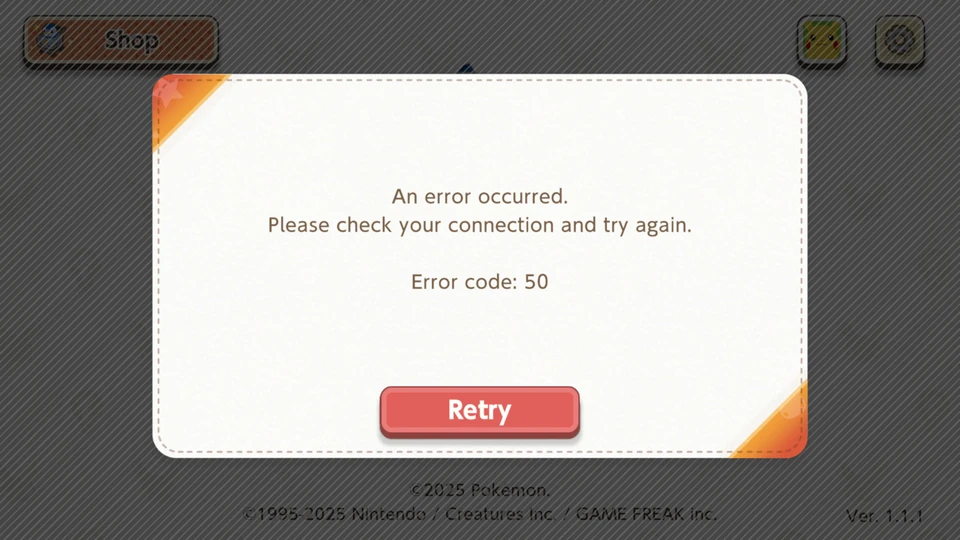
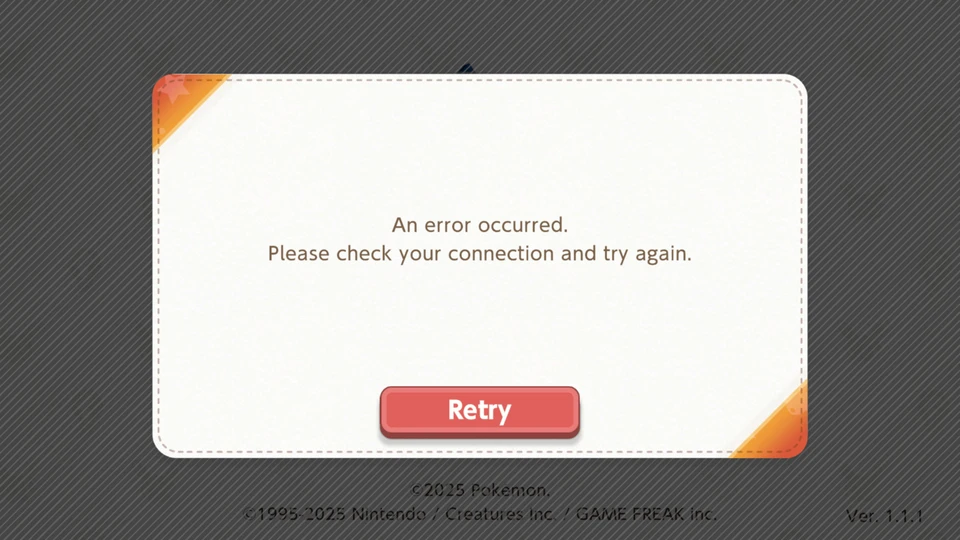 If the methods listed above don’t resolve the issue, please contact support through the Frequently Asked Questions and Contact Information (for players outside Asia) / (for players residing in Asia) and attach a screenshot with the error code displayed.